
You're spending $20,000+ per month on Google Ads, Facebook campaigns and SEO. The leads are rolling in. Your phone rings, and forms get submitted. Then... nothing happens to more than half of them.
Only 27% of leads ever receive a follow-up, leaving 73% to vanish into thin air. They don't get a callback or receive a follow-up email. They just disappear into your CRM, never to be monetised.
If you're a law firm partner, dental practice owner or finance broker watching this happen month after month, you already know the maths is brutal. At 100 leads per month with a $2,000 average client value, you've got 73 leads receiving no meaningful follow-up.
Even if a proper follow-up would convert just 6% of those neglected leads into paying clients, you're watching thousands in annual revenue evaporate because your team is too busy, or your follow-up process simply doesn't exist beyond ‘call them once and hope.’
The conventional wisdom says ‘hire more staff’ or ‘get a better CRM.’ Both are wrong. You don't need more people making the same mistakes faster, and you definitely don't need another unused CRM gathering digital dust.
What you need is a systematic, AI-assisted follow-up process that contacts every lead multiple times across multiple channels and does it without adding complexity to your already-stretched team.
What You Need Before You Start
Let's be clear about what this requires:
Time investment: 3-4 weeks from planning to go-live. This isn't a weekend project, but it's also not a six-month enterprise software implementation.
Technical requirements:
- A CRM or lead management system (HubSpot, Salesforce or even a well-structured Airtable)
- An AI phone agent platform (we'll cover selection criteria)
- Email and SMS automation capability
- Integration tools (Zapier or native integrations)
Team requirements:
- Someone who understands your lead flow (usually you or your practice manager)
- A staff member who can handle hot leads when AI escalates them
- 2-3 hours per week for the first month to monitor and optimise
Budget: Expect $500-$2,000 per month for the AI tools, depending on call volume. If you're spending $20k+ on paid media, this is a rounding error that protects your entire investment.
You need to map out where leads actually come from and where they actually die in your current process. Most business owners discover they have 6-8 lead entry points they didn't even know existed.
Step 1: Map Every Lead Capture Point (Week 1)
Start with a simple spreadsheet. List every single way a potential client can express interest in your business:
- Website contact forms (you probably have 3-4 of these across different pages)
- Phone calls to your main number
- Phone calls to individual staff mobiles
- SMS messages to your business number
- Social media DMs (Facebook, Instagram, LinkedIn)
- Email inquiries to info@, contact@ and individual staff emails
- Chat widgets on your website
- Third-party platforms (legal directories, health booking sites, finance comparison sites)
When we did this exercise with a Brisbane-based cosmetic dental practice, they discovered 11 different lead entry points. Their front desk team knew about five of them. The other six were creating leads that never made it into any system.
Action: Spend one week tracking every inquiry. Have your team note the source of every single lead. You'll be surprised by what you find. The goal here is visibility; you can't fix what you can't see.
Step 2: Standardise Your Lead Data (Week 1-2)
This is where most follow-up systems break down before they even start.
- Your web form collects: Name, Email, Phone, Service Interest.
- Your phone calls collect: Name, Phone, ‘They'll call back.’
- Your social DMs collect: First name, vague question, no phone number.
See the problem? You can't build a systematic follow-up process when every lead entry point collects different information.
Create a standard lead record that includes:
- Full name
- Mobile number (mandatory)
- Email address (mandatory)
- Service/procedure interest (specific, not general inquiry)
- Preferred contact method
- Urgency indicator (calling about pain vs. researching options)
- Source (which ad, which form, which campaign)
Then update every capture point to collect this data. Yes, this means:
- Rewriting your web forms
- Creating a phone intake script for your reception team
- Setting up auto-responders on social media that ask for phone + email
- Training staff to ask for missing information
The Sydney law firm we worked with resisted this step. ‘Our clients won't fill out longer forms,’ they said. We tested it. Conversion rate dropped 3%. But the leads that did convert were 40% more likely to book because we had the data needed to follow up properly.
Step 3: Choose and Configure Your AI Phone Agent (Week 2)
Not all AI phone agents are the same, and sometimes, the expensive ones aren't always better.
What you actually need:
- Natural-sounding voice (Australian accent options are non-negotiable)
- Ability to handle interruptions and conversational flow
- Integration with your calendar for appointment booking
- Conditional logic (different responses based on lead answers)
- Human handover when the lead is hot, or the AI gets stuck
- Post-call summaries sent to your team
What you don't need:
- Perfect human replication (leads know it's AI and don't care if it's helpful)
- Complex sentiment analysis
- Multi-language support (unless your business actually serves non-English speakers)
The platforms we've seen work best for Australian service businesses are those that integrate directly with HubSpot, Salesforce or Google Calendar. If your AI phone agent requires you to log into a separate dashboard to see what happened, you've already lost, as your team won't use it.
Configuration priorities:
First, write your AI's initial greeting and qualification questions. Keep it direct:
‘Hi [Name], this is Alex calling from [Business Name]. You submitted an inquiry about [Service] on our website. I'm calling to answer any questions and help you book an appointment if you're ready. Do you have two minutes to chat?’
Second, program the qualification logic. For a law firm, that might be:
- What type of legal matter? (Family, property, business, estate)
- Timeline? (Urgent, next few weeks, just researching)
- Previous lawyer? (Yes/No - affects approach)
Third, set the handover triggers. When should AI pass to a human?
- Lead says ‘I want to speak to a lawyer’
- Lead indicates urgent timeline (court date, deadline)
- Lead asks a complex question that the AI can't answer
- Lead expresses strong buying intent
Time estimate: 3-5 hours to write scripts, 2-3 hours to configure logic, and 2-4 hours of testing with your team. At Leadtree, we use tools like Vapi or Retell AI for building out our clients' AI Voice Agents, and this is something you can do by trying out those platforms.
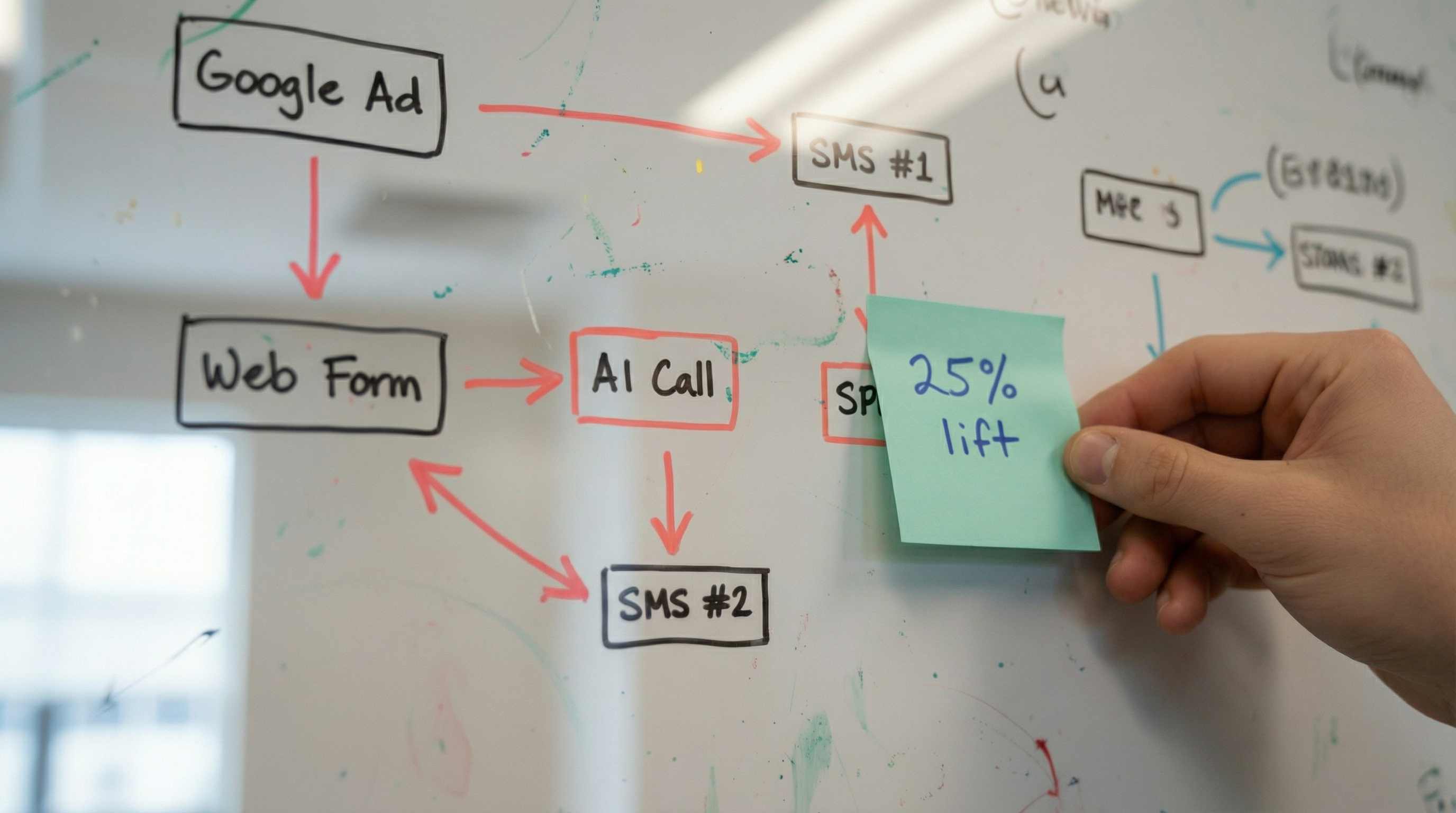
Step 4: Build Your Multi-Channel Follow-Up Sequences (Week 2-3)
This is where the revenue recovery actually happens.
A lead submits a form at 2 pm on Tuesday. Here's what should happen:
Minute 0: Auto-response email confirming receipt, setting expectations for callback timing.
Minute 5: AI phone agent calls. If answered, qualifies and books. If voicemail, leaves a message and triggers the next step.
Hour 2: If no answer, SMS sent: "Hi [Name], we tried calling about your [Service] inquiry. What's the best time to reach you? Reply with a time or book directly: [calendar link]"
Day 1 (next morning): If still no contact, second AI call attempt at a different time of day.
Day 2: Follow-up email with helpful content related to their inquiry (not a sales pitch, actual value).
Day 3: Third AI call attempt. If voicemail again, leave a different message focusing on urgency or limited availability.
Day 5: Final SMS: "Hi [Name], we haven't been able to connect about your [Service] inquiry. If you're still interested, reply YES and we'll prioritise your callback. If not, reply STOP and we won't contact you again."
Day 7: If they replied to any message but didn't book, a human team member makes a personal call.
The key is variation across channels and time of day. The Melbourne finance broker we worked with discovered their leads answered calls at 7 pm at 3x the rate of 2 pm calls. You won't know your patterns until you test.
Critical: Every message must reference previous contact attempts. ‘We tried calling yesterday’ or ‘Following up on our voicemail from Tuesday.’ This shows persistence without being annoying.
Step 5: Set Up Conditional Logic and Escalation Rules (Week 3)
Here's where AI-assisted follow-up becomes genuinely intelligent rather than just automated spam.
Engagement-based triggers:
- If lead opens email → Send related case study or FAQ within 24 hours
- If lead clicks calendar link but doesn't book → SMS reminder about limited availability
- If lead replies to SMS → Immediately notify a human team member via Slack/SMS
- If lead answers AI call but doesn't book → Flag as ‘warm’ and schedule human callback within 4 hours
Behaviour-based segmentation:
- High intent signals (opened 3+ emails, clicked pricing, answered phone) → Accelerated follow-up with human touch
- Medium intent (opened 1 email, no other engagement) → Continue automated sequence
- Low intent (no opens, no answers after 7 days) → Move to monthly nurture sequence
The Gold Coast cosmetic clinic we worked with discovered that leads who opened their ‘procedure cost guide’ email were 5x more likely to book. They created a specific fast-track sequence for those leads that cut their booking time from 8 days to 2 days.
Set up real-time notifications for your team:
- When AI identifies a hot lead (urgent timeline, high intent, ready to book), your team needs to know immediately, not when they check the CRM tomorrow.
Use Slack, SMS or email alerts with lead details and conversation summary. Format: ‘HOT LEAD: [Name] just spoke with AI, needs [Service], wants to book this week. Call them now: [Phone]’
Step 6: Implement Compliance and Consent Management (Week 3)
Australian regulations around automated contact are clear, and ignoring them will cost you more than the revenue you're trying to recover.
Australian Privacy Act and ACMA requirements:
- Every automated SMS and call must include:
- Clear identification of your business
- Purpose of contact
- Easy opt-out mechanism ("Reply STOP to opt out")
Consent management:
When leads submit a form, your terms must state: ‘By submitting this form, you consent to be contacted by [Business Name] via phone, SMS, and email regarding your inquiry. You can opt out at any time.’
For purchased or third-party leads (legal directories, comparison sites), verify that the lead source obtained proper consent before you contact them.
Do Not Call Register:
If you're cold calling, you must check against the Australian Do Not Call Register. For warm leads who've inquired, this doesn't apply, but maintain your own suppression list for anyone who opts out.
Record keeping:
Keep records of:
When and how consent was obtained
All contact attempts (calls, SMS, emails)
Opt-out requests and when they were actioned
ACMA has imposed penalties of up to $2.5 million for serious breaches.
Step 7: Train Your Team on AI Handover Protocols (Week 4)
Your AI system is only as good as the human team that takes over when leads get hot.
Create a simple handover protocol:
When AI escalates a lead, your team member needs to:
- Read the AI conversation summary (30 seconds)
- Call within 15 minutes while the lead is still engaged
- Reference the AI conversation: "I saw you spoke with our AI assistant about [Service]. I'm calling to personally help you with [specific need they mentioned].’
- Book the appointment or next step before ending the call
The mistake most businesses make is treating AI-escalated leads the same as regular leads. They're not. These leads have already engaged with your business, answered questions and expressed interest. They're warm, so treat them accordingly.
Common team resistance and how to address it:
‘The AI is taking our jobs’ → No, it's handling the 55% of leads you never had time to follow up with anyway. You're getting more qualified leads, not fewer.
‘Clients will hate talking to a robot’ → In high-trust industries like legal and healthcare, clients care about getting help, not whether the first touchpoint is human. As long as a human is available when needed, satisfaction remains high.
‘This is too complicated’ → The system runs automatically, making your job simpler. Answer when hot leads are flagged, not chase cold leads that never respond.
Role-play scenarios:
Spend 2-3 hours having your team practice taking over from AI:
- Lead who spoke to AI but didn't book
- Lead who asked a question AI couldn't answer
- Lead who expressed urgency
- Lead who seemed hesitant or price-sensitive
Step 8: Monitor, Measure and Optimise (Ongoing)
The system is live. Now what?
Track these metrics weekly:
- Contact rate: What % of leads are you successfully reaching? (Target: 70%+)
- Response rate: What % of contacted leads respond? (Target: 40%+)
- Booking rate: What % of responded leads book appointments? (Target: 25%+)
- Time to first contact: How fast are you reaching new leads? (Target: <5 minutes)
- Time to booking: How long from inquiry to booked appointment? (Target: <48 hours)
Monthly optimisation priorities:
Week 1: Review AI call transcripts. Where is it getting stuck? What questions is it failing to answer?
Week 2: Analyse email open and click rates. Which subject lines and content work best?
Week 3: Test SMS timing and messaging. Are you contacting at the right time of day?
Week 4: Review human handover success rates. Are escalated leads converting at higher rates than automated-only leads?
The Perth law firm we worked with discovered its AI was losing leads when asked about pricing. They updated the script to provide a range and offer a ‘free initial consultation to discuss your specific situation.’ Booking rate increased 18%.
A/B test continuously:
- Different AI voices and tones
- Email subject lines
- SMS message length and style
- Follow-up timing and frequency
- Calendar booking page design
Small improvements compound. A 5% lift in contact rate, plus a 5% lift in response rate, plus a 5% lift in booking rate, equals a 15.8% increase in booked appointments from the same lead volume.
Common Mistakes That Kill Follow-Up Systems
Mistake 1: Treating all leads the same
A lead calling about an urgent legal matter needs a different follow-up sequence than someone researching cosmetic procedures for an unknown date in the future. Build separate tracks based on urgency and intent.
Mistake 2: Over-automating the high-value touchpoints
AI should handle qualification and scheduling. Humans should handle objection handling, complex questions and closing high-value deals. Don't automate yourself out of the relationship-building that actually closes premium services.
Mistake 3: Ignoring the data
Your AI system generates massive amounts of data about when leads answer, including what questions they ask and what objections they raise. Review transcripts and analytics monthly, and you'll discover patterns that transform your entire sales process.
Mistake 4: Setting it and forgetting it
Markets change. Competitors adjust. Lead quality shifts. A follow-up system that worked perfectly in January might be underperforming by June.
Mistake 5: Making opt-out difficult
Some businesses hide the opt-out option or make it complicated, thinking this will keep leads in the funnel longer. It doesn't. It just annoys people and risks compliance issues. Make opt-out easy and respect it immediately.
The Bottom Line
You're already spending serious money to generate leads. The follow-up system we've outlined here is protection for the investment you're already making.
When you systematically contact every lead multiple times across multiple channels, three things happen:
First, your contact rate jumps from 45% to 70%+. You're actually reaching leads instead of hoping they call back.
Second, your booking rate increases because you're catching leads when they're ready, not just when it's convenient for your team.
Third, your cost per acquisition drops because you're monetising leads that previously disappeared. You're generating more revenue from the same ad spend.
The setup takes 3-4 weeks. The ongoing management takes 2-3 hours per week. The return is 15-25% more booked appointments from your existing lead flow.
For a business spending $20,000 per month on paid media, that's an additional $50,000-$80,000 in annual revenue from leads you're already paying for but currently not converting.
Ready to stop leaking revenue on ignored leads? Leadtree specialises in AI-assisted lead management and follow-up systems for Australian service businesses. We'll map your lead flow, identify your gaps and build a custom follow-up system that actually gets used.
Book a 15-minute discovery call to see how we can help: https://calendly.com/leadtreemarketing/30min