If you run a business, you've probably been working harder than you ever have in your life lately.
AI was meant to save us time and make things easier, but somehow everything feels busier than ever, so this article is a closer look at the tools that have genuinely helped me keep up.
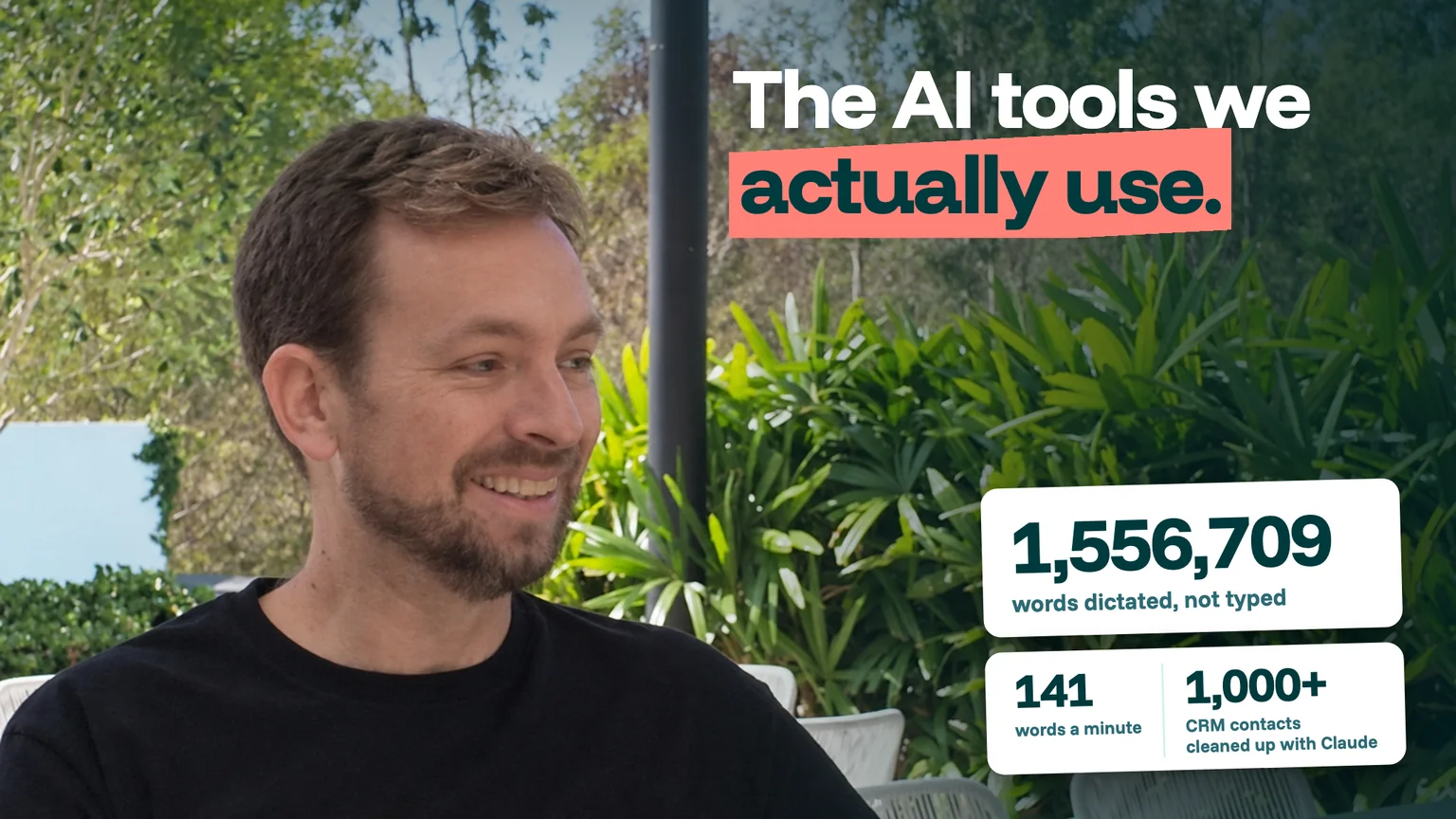
Some are small habits, like talking instead of typing (I've dictated more than 1,500,000 words into one app so far), while others take on the jobs nobody wants to do by hand, like cleaning up a client's CRM.
I filmed a YouTube short about the apps I rely on most, which you can see here, then there's a longer version with what each one costs and all the pros and cons.
How should a small business actually use AI?
Short answer: use AI to capture and structure your own thinking, and to do the grunt work on messy data. Don't just use it to write important things for you.
The tools listed below all do one of those two jobs. Whatever they're used to produce, a real person should always check the result before it goes anywhere.
Letterly: where the ideas actually start
My best ideas and creative ideas don't happen when I'm sitting at my desk. I think better when I'm on my feet, so I go for walks and talk into Letterly, a voice-notes app that transcribes what you say. Letterly can keep it exactly as you said it, or put your words into a structured format.
What we've found is that a long, rambling voice note is a better starting point than a blank page. For me, these are really contextual voice notes, which are amazing for things like prompting, Claude Code and just getting your thoughts together.
Yes, you might look a bit strange talking into your phone, but it's worth it!
Cost: free to download. On the Australian App Store the PRO subscription lists at A$29.90 a month, with annual options from A$97.99 to A$149.99 and lifetime options from A$289.99.
The catch: the store lists nine PRO options at different prices, including several different annual prices. Check which one you're buying.
Wispr Flow: dictation everywhere, in your own words
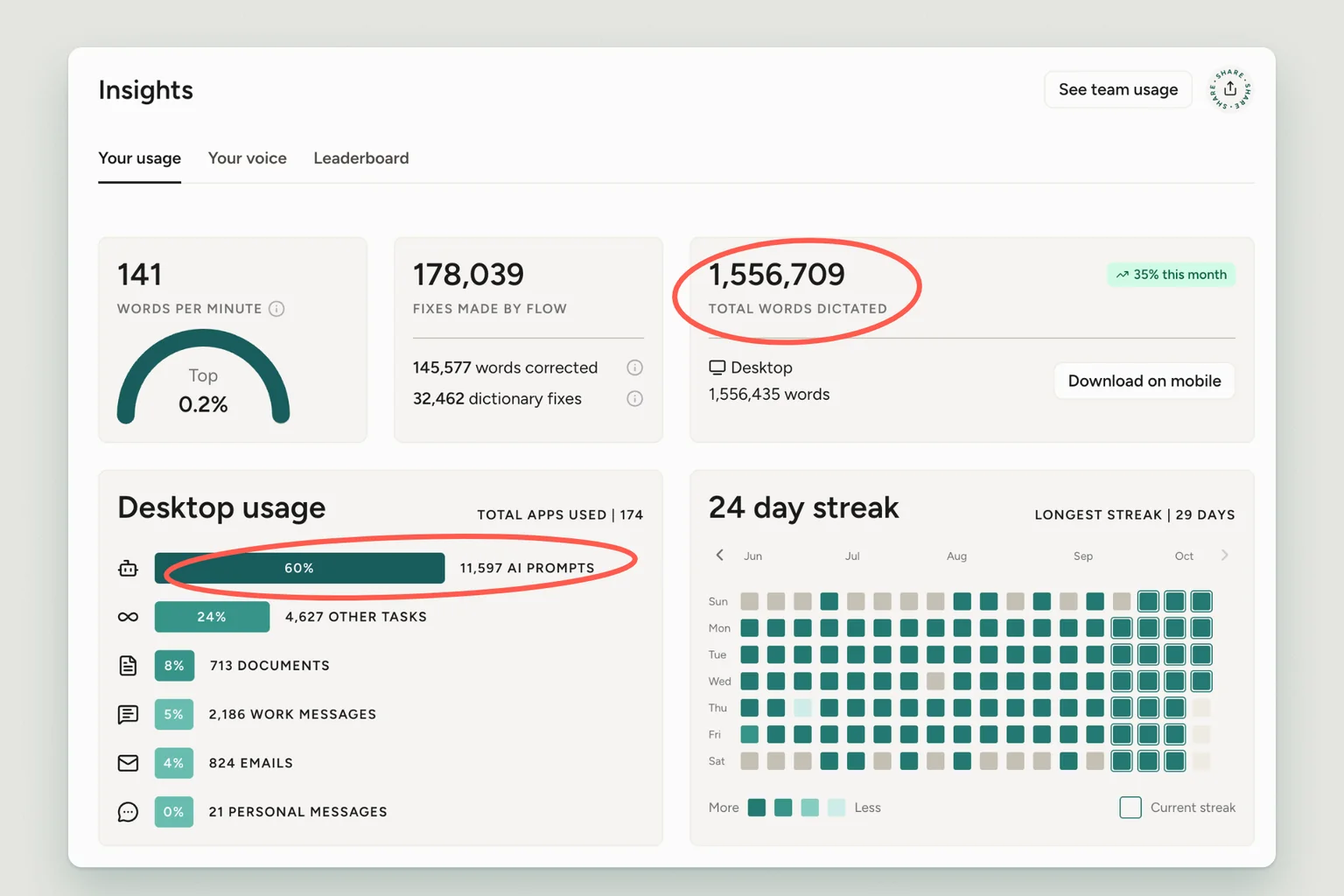
Wispr Flow sits on your Mac or Windows PC (there are phone apps too) and turns speech into text for whatever app you're using. I've already used it to transcribe well over a million words.
The screenshot above was taken this month and puts the exact number at 1,556,709 words at 141 words per minute. Wispr ranks that speed in the top 0.2%.
The bigger point is what those words are. Around 60% of my desktop use is AI prompts (11,597 of them so far). Next come "other tasks," then documents, work messages and emails.
That's the pattern from our own data. I dictate the prompt; I don't dictate the email to AI and let it make one up. Dictation is great for writing emails that still sound like you because it's actually your words rather than AI's interpretation.
It's also made me able to type effectively much faster than before.
Cost: free for 2,000 words a week on desktop. Pro is US$15 a user a month, or US$12 billed annually.
The catch: proper nouns. In the voice notes I dictated for this article, "Claude" came out as "Cloud" and a client's name came out as two ordinary words.
Wispr has a Dictionary for names and jargon (my screenshot shows 32,462 dictionary fixes). Use it early on and make sure you read anything client-facing before it goes out to avoid any embarrassing errors.
ClickUp clips or Loom: brief once, document for free
At Leadtree we run on ClickUp, so we use its built-in screen recording. If you're not on ClickUp, Loom does the same job.
The trick is the transcript. You can record yourself walking through a task on screen, then grab that transcript and say: "create a written task description or written SOP based on what I said in here."
You end up with both the video, so people can see where you're clicking on a screen, as well as a written version they can search. This will save you a lot of unnecessary meetings.
Cost: ClickUp has a Free Forever plan, with paid plans from about US$7 to US$9 a user per month (billed annually). Loom's Starter plan is free (25 videos, 5-minute recordings), while the Business plan starts at US$18 a user a month.
The catch: on 17 October, ClickUp's pricing page showed two different plan structures, and one of them lists video recording on the Free plan only as a trial. Check what your plan includes before you build a habit around it.
AI note takers, piped into Claude
At Leadtree we use ClickUp's AI note taker. Granola is a great alternative.
The value with this app comes later.
Because the notes live in our tools and Claude connects to ClickUp, I can ask what was agreed in a meeting while I'm working on something else.
Cost: Granola's Basic plan is free, while Business is US$14 a user per month. ClickUp's note taker draws on its AI credits.
The consent question, and what we do
Our practice at Leadtree is simple:
- The note taker is visible in meetings, and we tell people it's there.
- We don't use it on phone calls.
- Our recorded phone line, through GoHighLevel, plays an audio disclosure that the line is recorded.
A real example: Claude cleaning 1,000+ HubSpot contacts
This is the one I'd show anyone asking how to actually use AI for their business.
We were recently personalising an email campaign for one of our clients, and each recipient's company name was in the subject line. The client had over a thousand contacts in HubSpot, but around 90% of the contacts didn't actually have a company name listed.
We connected Claude to HubSpot (HubSpot has its own connector for Claude, which it lists as free), and here's how it ran:
- Claude matched contacts to companies. It placed nearly 80% of the missing ones confidently.
- It made a best guess on most of the rest, and we put those into a Google Sheet.
- The client marked each guess yes, no or edit.
- We wrote the corrections back to HubSpot.
If we had to have done all that manually it would have been really overwhelming.
What did it achieve? We didn't run a controlled test, so I won't give you an open-rate number, but it definitely helped open rates and made the emails feel a lot more engaging. It also opened up personalised subject lines for future messages.
The quieter win is for the client's own records. When they want to gather every contact from one company, they can now find them quickly and easily, saving valuable time.
The catch: HubSpot says actions through the connector are written back in real time. That's the point, and it's also the risk. You should have a human check between "Claude's guess" and "the CRM," just like step 3 does.
Leadsie: the onboarding step nobody enjoys
Gaining access to a new client's Meta, Google Ads, Analytics and Search Console has long been a pain point at Leadtree. It normally takes a couple of weeks, or even more in certain cases.
Leadsie replaces that back-and-forth with one link.
The client just has to log in to Google, Meta and a few other tools once, and then access comes through in one go. Leadsie's homepage says you can get access "in under 5 minutes."
At Leadtree we're keeping it. It made a real difference with one client whose onboarding was dragging. We considered an alternative but never rolled it out.
Cost: their Starter package is US$59 a month for three new-client onboardings a month (US$49 a month billed annually). The Agency package, which comes with white-labelling, is US$129.
The catch: Leadsie can only smooth over what the platforms allow.
Google Ads link requests work quite well but they're not the whole Google suite, while Meta's business manager is its own process.
My verdict is that I just wish Google and Meta would make things easier.
How the stack fits together
The pattern is one loop, and each step has a human in charge of the words:
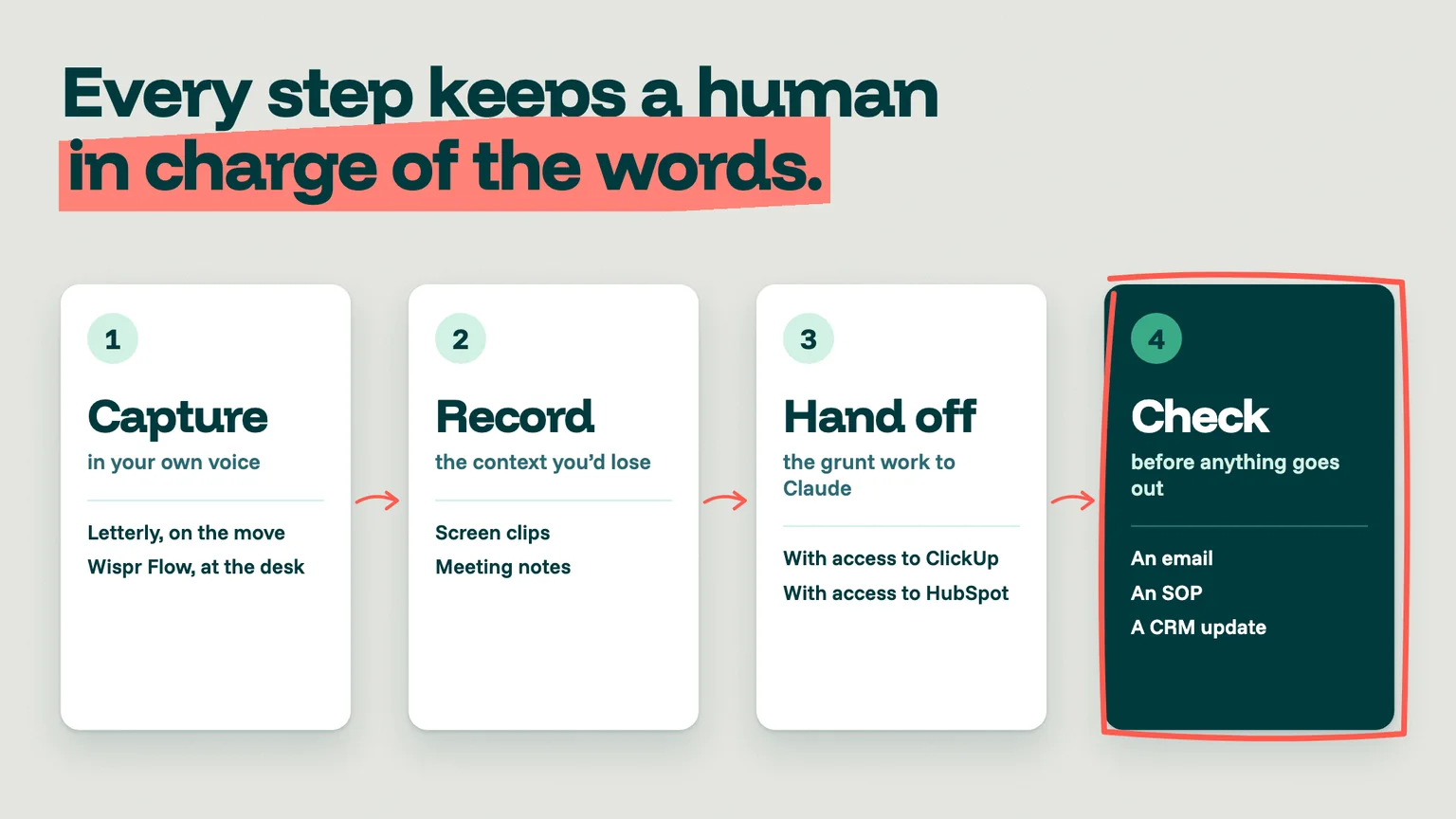
- Capture in your own voice: Letterly on the move, Wispr Flow at your desk.
- Record the context you'd otherwise lose: screen clips and meeting notes.
- Hand the grunt work to Claude, with access to the tools where the data lives (ClickUp, HubSpot).
- Check before anything goes out, whether it's an email, an SOP or a CRM update.
Our take
Using AI to write for you is the least interesting way to implement it. That's because people can tell when the thinking isn't yours.
Our view is that AI earns its keep at the two ends: getting your own thoughts out of your head and on to the page quickly, and grinding through messy data a person would rather avoid.
Start with one capture tool, run it for a month, then pick an ugly data job and give it to Claude, with a human checking the output.
Starting from zero? The free versions
If you're on a budget, most of this can be tested out for free:
- Wispr Flow: 2,000 words a week free on desktop.
- Loom: Starter is free for 25 videos of up to 5 minutes.
- Granola: Basic is free.
- Claude: the Free plan includes connectors. Pro is US$20 a month (US$17 billed annually).
- ClickUp: Free Forever plan.
If you only try one of these options, let it be dictation. It's been a massive productivity booster for me, and changes how much you can get down while still keeping your voice.
For more on how the systems behind the work connect, see our marketing automation stack for service businesses and our HubSpot vs GoHighLevel vs Clio Grow vs monday comparison.
If your CRM is full of half-finished records or admin is eating into your team's week, we can help you find the first job worth handing to AI.
We'll look at where the time is going and what's safe to automate, with a human still checking the output.
Book a meeting with us here to see how we can help you: https://www.leadtree.agency/product/book-call