I'll be honest about this, because most posts on the topic aren't. For some of our videos, using the AI editor we built actually takes longer than editing them the old way.
Would I build again if I could go back in time? Absolutely. After all, it does things to our videos that simply weren't possible before, and when you're working with a large batch of footage, it does genuinely save time.
Below is my honest account:
- Why We Built It
- What It Does
- What Went Wrong Along the Way
- What I'd Tell Anyone Thinking of Doing the Same
Why build our own video editor at all?
Three things led us to build our own AI video editor:
First, I'd been watching other creators online edit video using AI coding tools, and what they were doing looked high-quality.
Second, the models have got much better, most recently Claude Opus 5.5. Why not take advantage?
The third reason was the deciding factor, though.
At Leadtree, we already run our own operating system, LeadtreeOS, inside Claude Code. It holds every client's context, brand colours, fonts and rules, alongside the automation tools we already run. An AI video editor that could read all of that would build on tools we'd already made, rather than starting from scratch.
There was also a more immediate reason to make the switch. Our August videos were finished by hand in Descript, and four separate things went wrong with them. More on this below.
What does the workflow actually do?
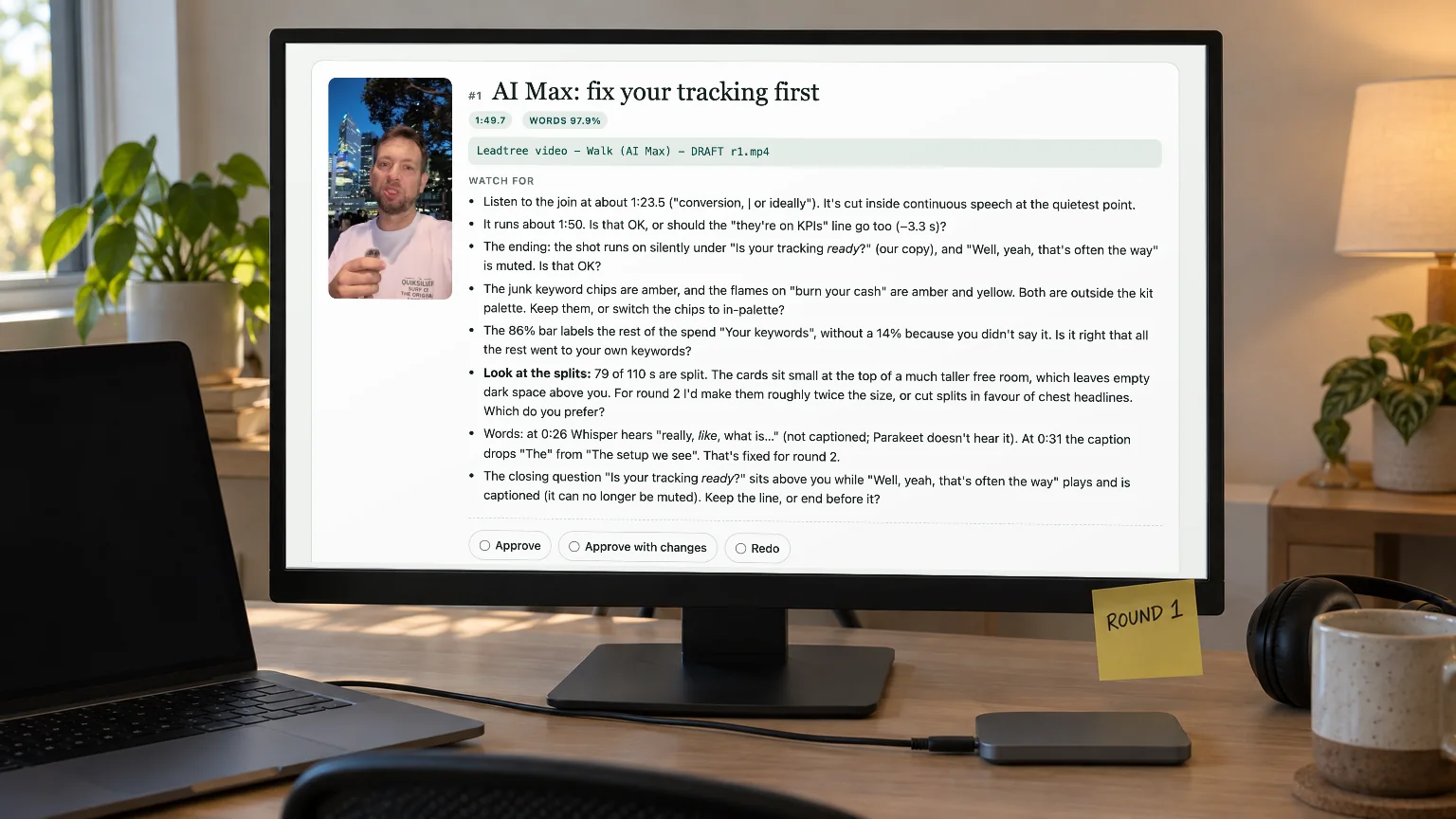
In short, it turns raw footage into a review-ready draft, with every decision written down where Claude and I can both see it.
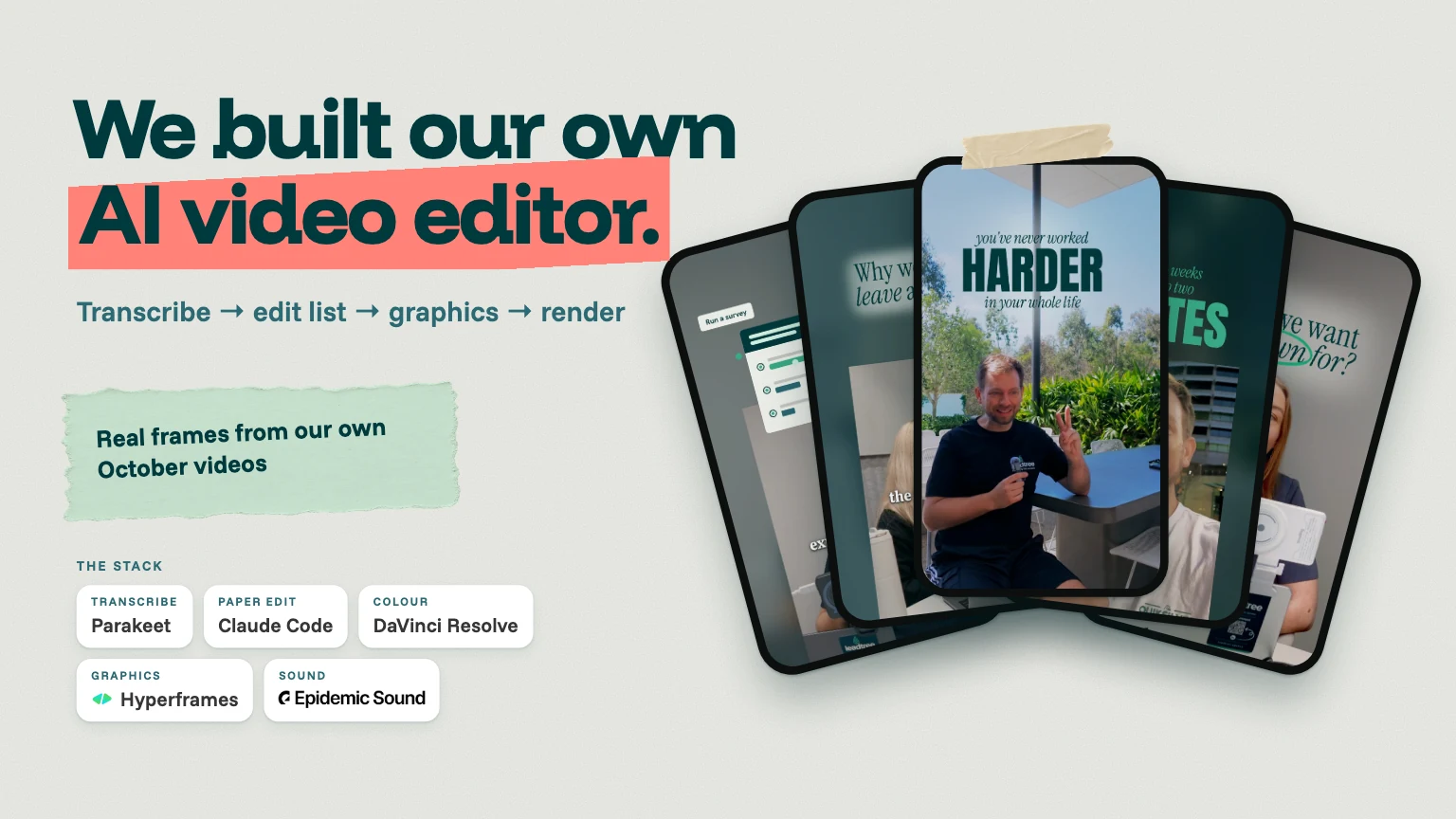
The core idea is an edit list. Every cut, caption, graphic, colour setting and sound cue lives in one structured file.
Claude proposes the edits, I mark them up, and the renders follow those instructions exactly. There's no hidden timeline that only one person can see.
We started by looking at two key measurements. Testing transcription models on our own footage, we found that Parakeet's typical error rate, in terms of word start times, was about 80 milliseconds, compared with around 440 for Whisper. That difference matters because both captions and cuts depend on accurate timestamps.
We found that rendering every review round at full quality was taking far too long. In September, we added a 1080p draft mode that rendered a test clip 8.5 times faster (35.5 seconds against 301). Now every round is a draft, and the 4K master only renders once I've signed off.
A worked example: the terrace video
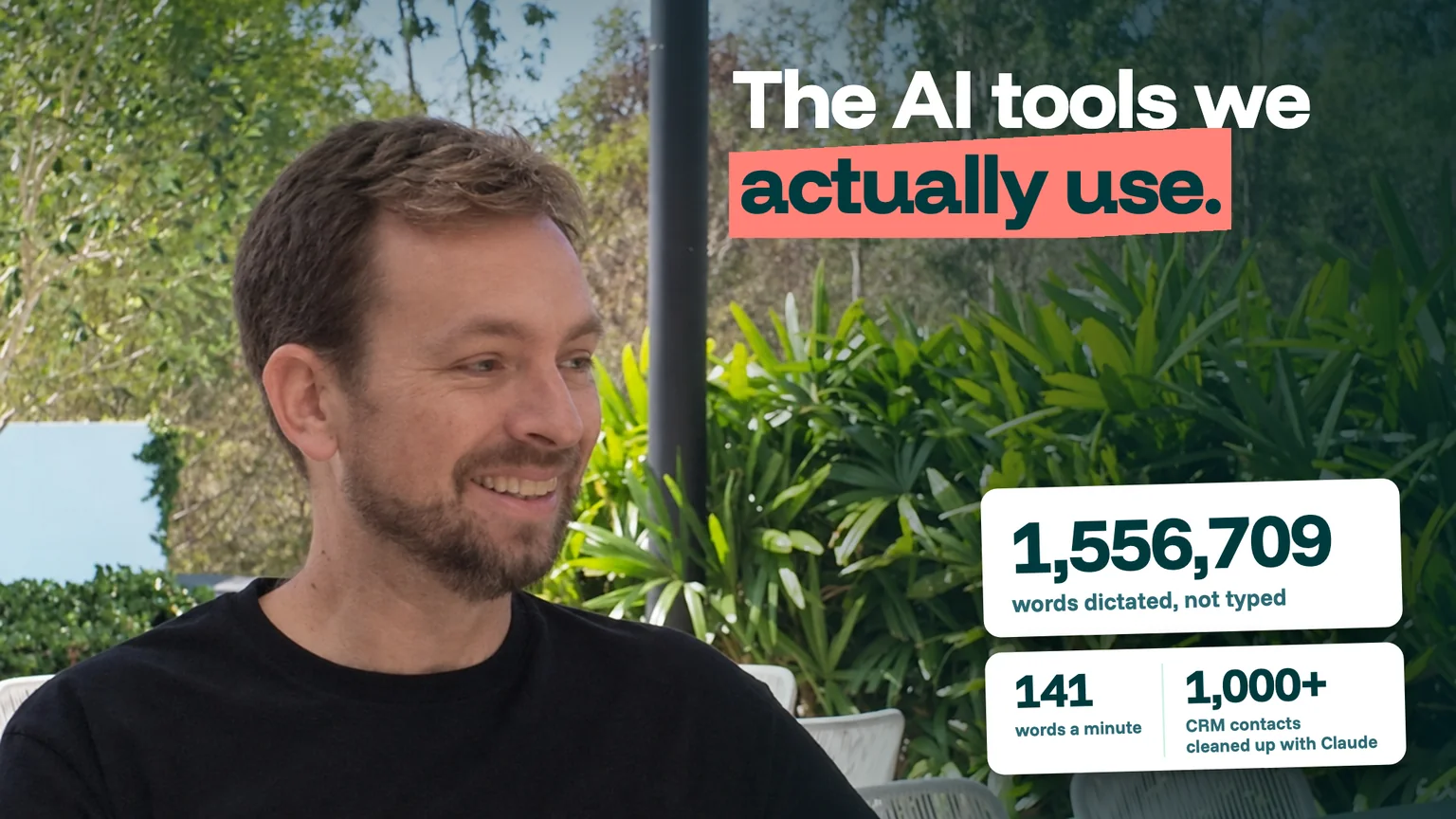
This is a two-and-a-half-minute video I shot on a terrace about the apps that help me get more done.
The raw take ran a rambling 4:47. The final runs 2:29. It went through four review rounds in one day, and I approved the final just after midnight.
Some of the decisions along the way:
- Real app icons, not generated look-alikes.
- Screen mock-ups made bigger after round one. They were accurate but too small to read on a phone.
- Captions moved down to mic height, my call in round two.
- Six push-ins to keep a static seated shot from feeling flat.
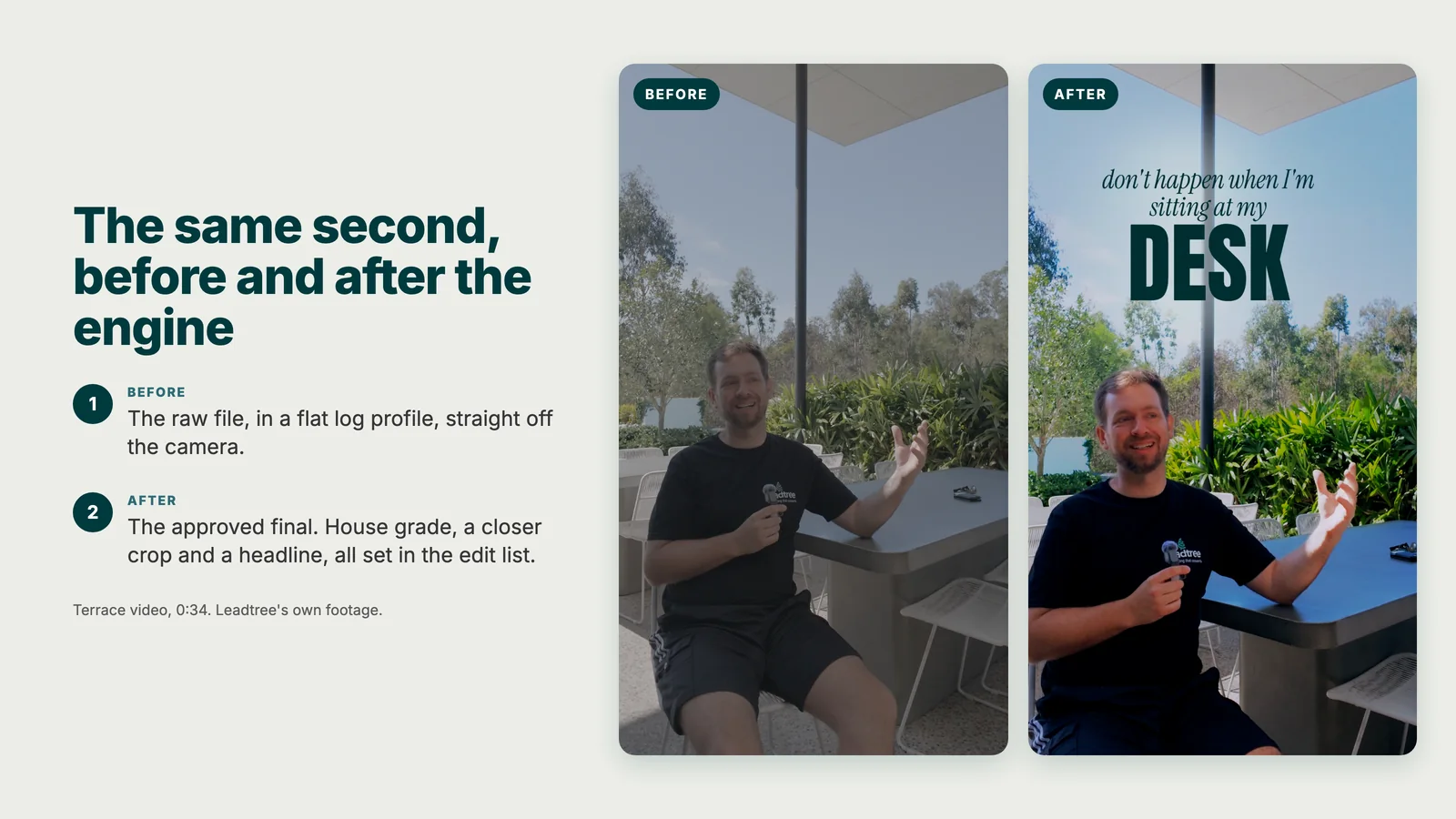
There was one mistake we spotted, though, that we wouldn't have predicted in advance. The camera records in a flat log profile (low contrast, muted colours), which the engine mistook for night-time footage, so it brightened the image.
We fixed it with one setting. It's the kind of mistake you only catch by watching back.
What can it do that we couldn't before?
This is the real payoff, and it's why the extra time is worth it to us.
Graphics behind the presenter. The engine cuts the presenter out of each frame, so a card or a big word can sit behind my head instead of being stuck on top of the picture. We've found it adds a layer of depth that flat overlays don't offer.
In our video on making your own news, the survey chart and then the news story sit on the wall behind me, with my head cut out over them.
Captions you can actually read. When we measured caption contrast on a walking video against a white T-shirt, the median was 1.79 to 1. The new caption style took it to 9.34.
Consistency across a batch. We now rotate between two house looks, and every video's sound bed sits 16 dB under the voice, delivered at -14 LUFS, a common loudness target for social video.
One of the team had found our earlier, louder music beds stressful, so we measured the volume levels she preferred and used those as our new standard.
So is it faster? Not always
In our experience, it depends on how you measure it. From the moment the footage arrives to the moment the video gets approved, the whole process has actually taken longer for some videos.
Descript is still a very efficient tool for light edits. Some of our clients read a script well and send footage with almost nothing to cut. For those, the job is mostly captions and a quick polish. Descript is more than adequate for this.
Truth be told, our own engine takes a long time to run. A single draft render can take half an hour or more, and plenty of jobs run overnight. At times, my MacBook Pro runs so hot it's actually quite concerning.
We found it's hungry for disk space as well. Each video generates tens of gigabytes of working files, so I added a high-speed external SSD after the internal drive kept filling up.
A lot of my own time is now waiting between stages rather than editing. It's less hands-on than editing, but it still adds up.
Where it does save time
The clear win is a big pile of footage all at once. For our podcast-style videos, we'd outline the topics in a Google Doc beforehand, then talk around the bullet points rather than stick to a script.
We gave the engine all of the footage in one go. It found the most interesting sections, cross-checked them against the ideas doc, and split them into separate tasks, one per video. Ten videos came out of those recordings, and nine made the cut.
Doing that by scrubbing through the recordings by hand is slow, fiddly work. This is where the engine earns its keep.
It takes more work than you might think
Building the core skills took nearly two weeks of my computer running day and night, and we're still improving the system as I write this. Even adding a new idea can mean spending hours updating the engine.
So if you're looking for a quick win, or hoping AI will do all the work for you, this probably isn't the best project to start with.
Six things that went wrong (and what they taught us)
Some of these happened in August, on the videos that pushed us to build the engine. The rest has happened since. Each one is now written into how we work, so it shouldn't happen twice (fingers crossed).
Let's go a little further in-depth on a couple of these because it's worth explaining a little more about what exactly happened:
The HDR trap is a one-minute fix on the day. One iPhone had HDR Video switched on, and the other didn't, so that camera's footage looked washed out next to the other.
On another video, HDR clips went straight into Descript, whose own help page says its HDR conversion "is not always perfectly accurate". That picture looked washed out too. Now we always check before rolling, and convert to SDR before editing. It's a small habit change, but it can really save time.
Transcribers agreeing on something doesn't necessarily mean they've got it in the bag. Both models heard "to ask" where I'd said "task", because the two sound almost identical. A teammate caught it because the sentence obviously didn't make any sense.
Our view: if a caption reads oddly, trust the reading over the software.
The whiteboard. In one August video, a presenter gestures at a completely blank whiteboard. We spent parts of three sessions trying to add the writing afterwards, first with AI and then with a tracked graphic, and cut the shot anyway.
Okay, so we had a whiteboard and a marker, and writing on it would have taken two minutes. That experience changed how we approach AI video. We now use it for things we can't reshoot, rather than trying to recreate something that could easily have been filmed on the day.
Thinking of building your own? Two things to consider
If you're tempted to try this in your own business, go in knowing two things.
- It's an investment of time and energy. In our experience, typing "Hey Claude, edit this video" won't get you anything like the results above. The value is in the system you build around it, and that takes weeks.
- You still have to be the creative director. Give it a clear style direction, with references, and give it direction on every video. Without that, you'll get something pretty generic.
If you do go for it, keep these habits in mind:
- Keep your edit decisions in one file, so you can see and change what the AI decided.
- Transcribe locally if your footage includes anything private. Nothing needs to leave the machine.
- Review fast, low-resolution drafts early and often. Save the full-quality render for the end.
- Measure everything, don't guess. Loudness, colour and caption contrast are all numbers you can check.
- Sort capture settings before you roll. No amount of editing fixes two phones set differently.
Our take
We built our own AI video editor to make videos we couldn't make before, and on that it delivers. It hasn't made each video quicker, and for light edits Descript is still faster.
If you're thinking of building something similar, give yourself weeks rather than days, stay involved in every video, and save it for large batches of footage and ambitious edits rather than trying to use it for everything.
If building and running something like this sounds like more than you want to take on, that's fair. It's a lot of moving parts.
If you'd rather leave the behind-the-scenes details to someone else, that's what we do for our clients. We handle the creative direction, the editing, and making sure every video stays on brand.
Book a time here to discuss your creative vision: https://www.leadtree.agency/product/book-call